
hej
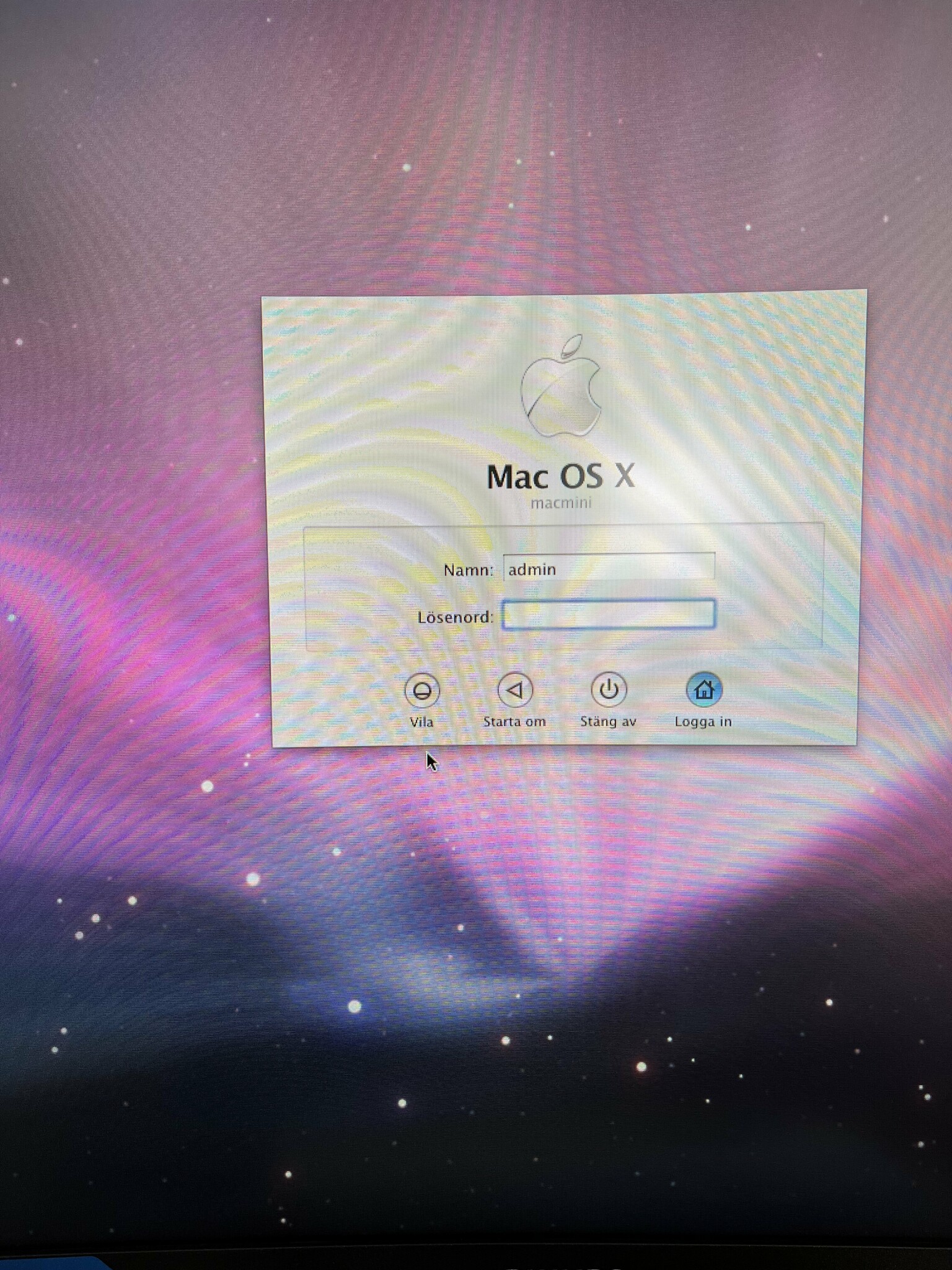
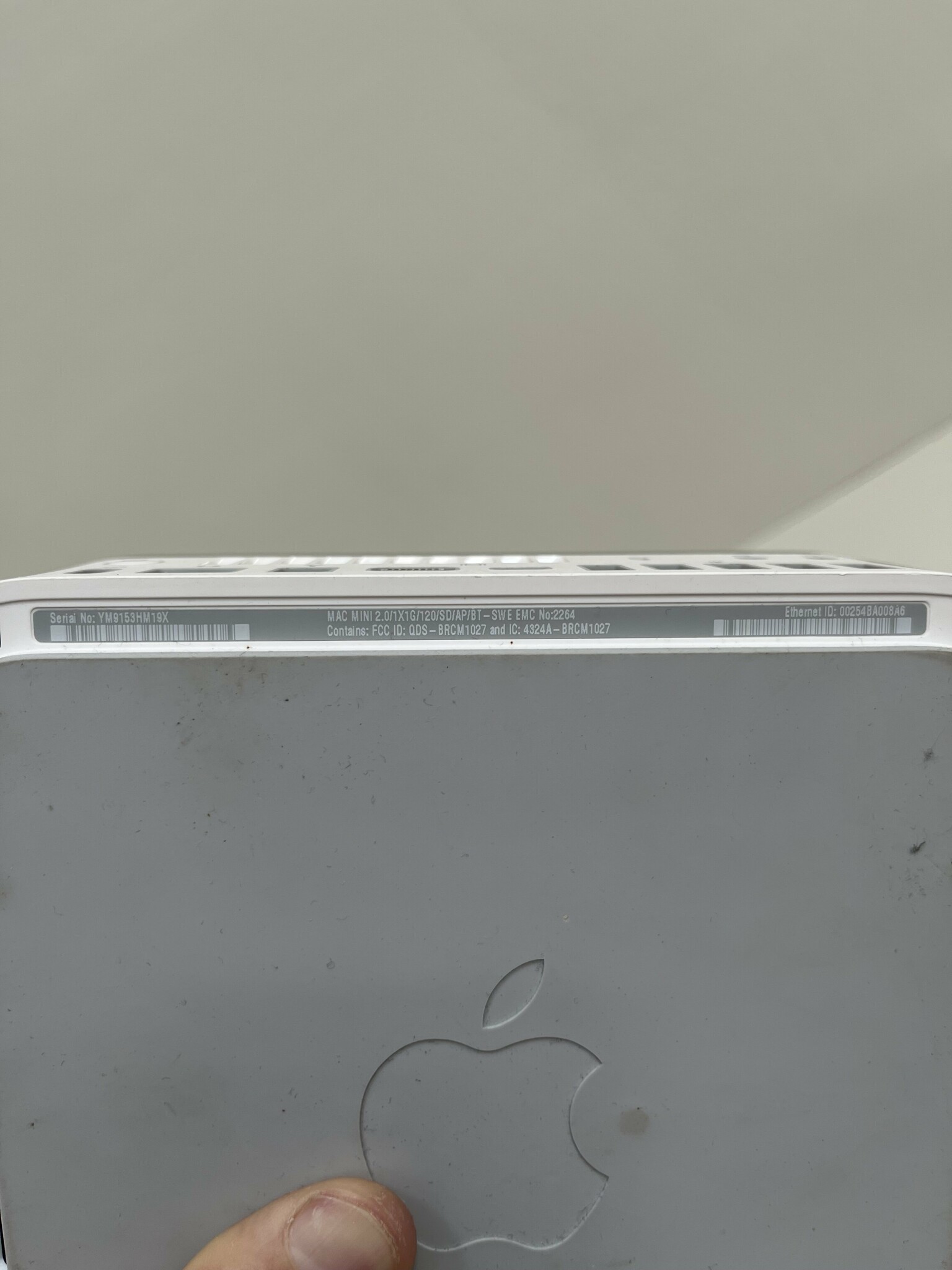
har en gammal minimac som kag glömt uppgifter till nu när jag starta upp fen o kan inte heller fabriskåterställa den..har bild på upg på undersidan ska försöka med skiva rller usb, men vet ej vilket os x där är..
ni får kanske zooma in på texten..
tack för hjälp
har en gammal minimac som kag glömt uppgifter till nu när jag starta upp fen o kan inte heller fabriskåterställa den..har bild på upg på undersidan ska försöka med skiva rller usb, men vet ej vilket os x där är..
ni får kanske zooma in på texten..
tack för hjälp
Bästa svaret

Verktygstokig
· Sörmland
· 306 inlägg
10.6 Snow Leopard
Alternativt 10.5 Leopard, samma utseende på inlogg och bakgrundbild och borde vara versionen som den datorn levererades med.
Jag har för mig att man kunde starta upp även dessa i recovery med Cmd + R vid uppstart. Isåfall kan du gå till verktyg, starta terminalen och skriva resetpassword och följa prompten.
Jag har för mig att man kunde starta upp även dessa i recovery med Cmd + R vid uppstart. Isåfall kan du gå till verktyg, starta terminalen och skriva resetpassword och följa prompten.
Verktygstokig
· Sörmland
· 306 inlägg
Korrigera mitt svar till
Man ser det på bakgrunden,
Här kan du se dom olika
https://512pixels.net/projects/default-mac-wallpapers-in-5k/
10.5 Leopard
Man ser det på bakgrunden,
Här kan du se dom olika
https://512pixels.net/projects/default-mac-wallpapers-in-5k/
El Capitan stöd:kristofer12345 skrev:
https://support.apple.com/kb/SP728?locale=en_US&viewlocale=sv_SE
Sen kan du söka på ditt serienummer för att få fram hårdvaruinfo,
Ex appleserialnumberinfo.com
Verktygstokig
· Sörmland
· 306 inlägg
These older macOS versions are available as disk images that you can download using your web browser. To get the installer from the disk image, use a Mac that is compatible with that macOS.
If these links don't work as expected, try again using Safari, which is in your Applications folder.
Sierra 10.12
El Capitan 10.11
Yosemite 10.10
Mountain Lion 10.8
Lion 10.7
How to create a bootable installer for macOS
If these links don't work as expected, try again using Safari, which is in your Applications folder.
Sierra 10.12
El Capitan 10.11
Yosemite 10.10
Mountain Lion 10.8
Lion 10.7
- Use these links to download a macOS disk image (.dmg) file.
- Double-click the .dmg file to open it and see the package (.pkg) file within.
- Double-click the .pkg file, then follow the onscreen instructions to install the macOS installer into your Applications folder.
- Open your Applications folder and double-click the macOS installer, named Install [Version Name]. Follow the onscreen installation instructions.
Use a bootable installer
A bootable installer can be useful if you want to install macOS on multiple computers without downloading the installer each time, or when you can't install using the other methods. To download an installer suitable for creating a bootable installer, use the App Store or use a web browser to download from a compatible Mac. The Mac must also be using macOS High Sierra or later, the latest version of macOS Sierra, or the latest version of OS X El Capitan.How to create a bootable installer for macOS
är det cmd -s?Storsockret skrev:
Alternativt 10.5 Leopard, samma utseende på inlogg och bakgrundbild och borde vara versionen som den datorn levererades med.
Jag har för mig att man kunde starta upp även dessa i recovery med Cmd + R vid uppstart. Isåfall kan du gå till verktyg, starta terminalen och skriva resetpassword och följa prompten.
ja just det om kag ska ta capitan här eller vilken..These older macOS versions are available as disk images that you can download using your web browser. To get the installer from the disk image, use a Mac that is compatible with that macOS.
If these links don't work as expected, try again using Safari, which is in your Applications folder.
Sierra 10.12
El Capitan 10.11
Yosemite 10.10
Mountain Lion 10.8
Lion 10.7
- Use these links to download a macOS disk image (.dmg) file.
- Double-click the .dmg file to open it and see the package (.pkg) file within.
- Double-click the .pkg file, then follow the onscreen instructions to install the macOS installer into your Applications folder.
- Open your Applications folder and double-click the macOS installer, named Install [Version Name]. Follow the onscreen installation instructions.
Use a bootable installer
A bootable installer can be useful if you want to install macOS on multiple computers without downloading the installer each time, or when you can't install using the other methods. To download an installer suitable for creating a bootable installer, use the App Store or use a web browser to download from a compatible Mac. The Mac must also be using macOS High Sierra or later, the latest version of macOS Sierra, or the latest version of OS X El Capitan.
How to create a bootable installer for macOS
Verktygstokig
· Sörmland
· 306 inlägg
https://archive.org/download/10.5-leopard/10.5 Leopard.dmg
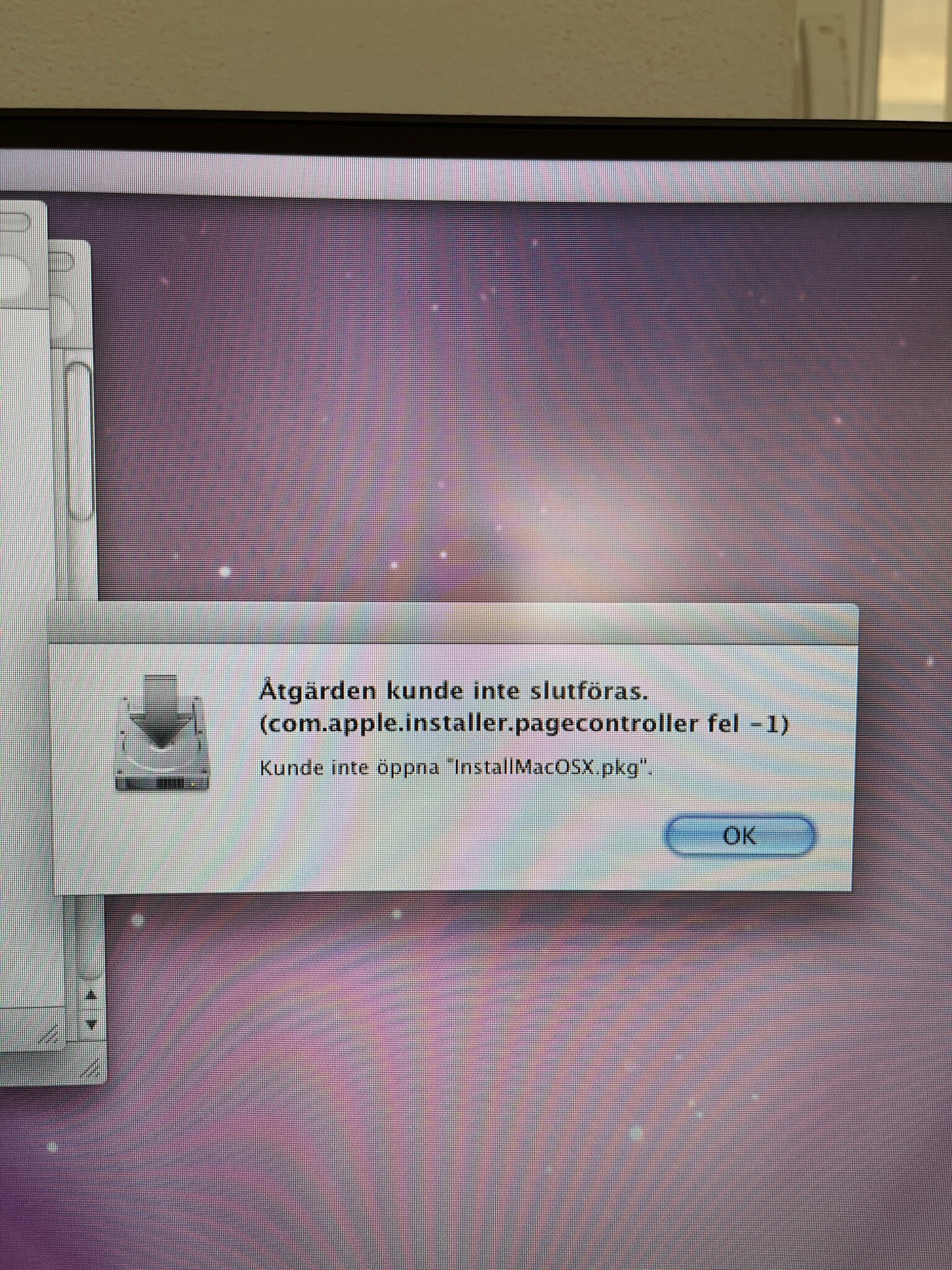
Du kan prova få igång den på ditt nuvarande os och uppgradera därifrån
Du kan prova få igång den på ditt nuvarande os och uppgradera därifrån