
16,973 views ·
29 replies
17k views
29 replies
Program for drawing simple 3D design?
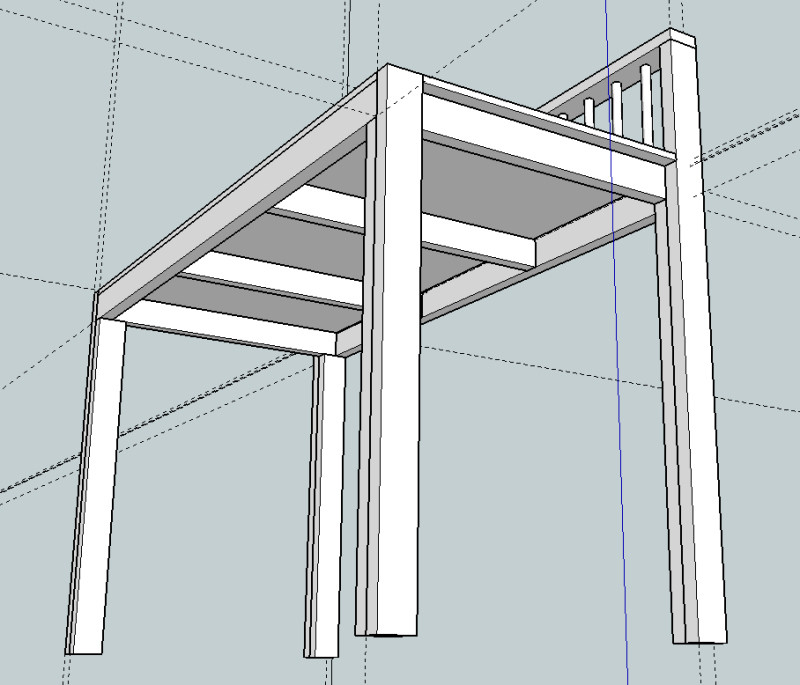
I managed by first placing it in a corner and then moving it a certain number of cm to the right (by typing in the "measurement box"). Maybe that's how you have to do it.gavagai said:And I have yet another question. When I move a component normally, I click on a corner and drag it to a corner of another component so that it "snaps in" precisely, but I can't manage to place a component, so to speak, in the middle of another component. Suppose in the image below I want to place the ruler (which looks too big but isn't) 65 cm (or another specified measurement) from the left edge of what looks like an upside-down table. How do I place it there? And I am really enormously grateful for all the help I get here.
[image]

The easiest way is to first draw a new line from the inside of the corner to as far out as you want it. Then when you move the rule, attach it to the end of the new line.

Member
· Nuevo Estockholmo
· 3 529 posts
It seems there are knowledgeable people in this thread, so I'm going to borrow some space if that's okay?
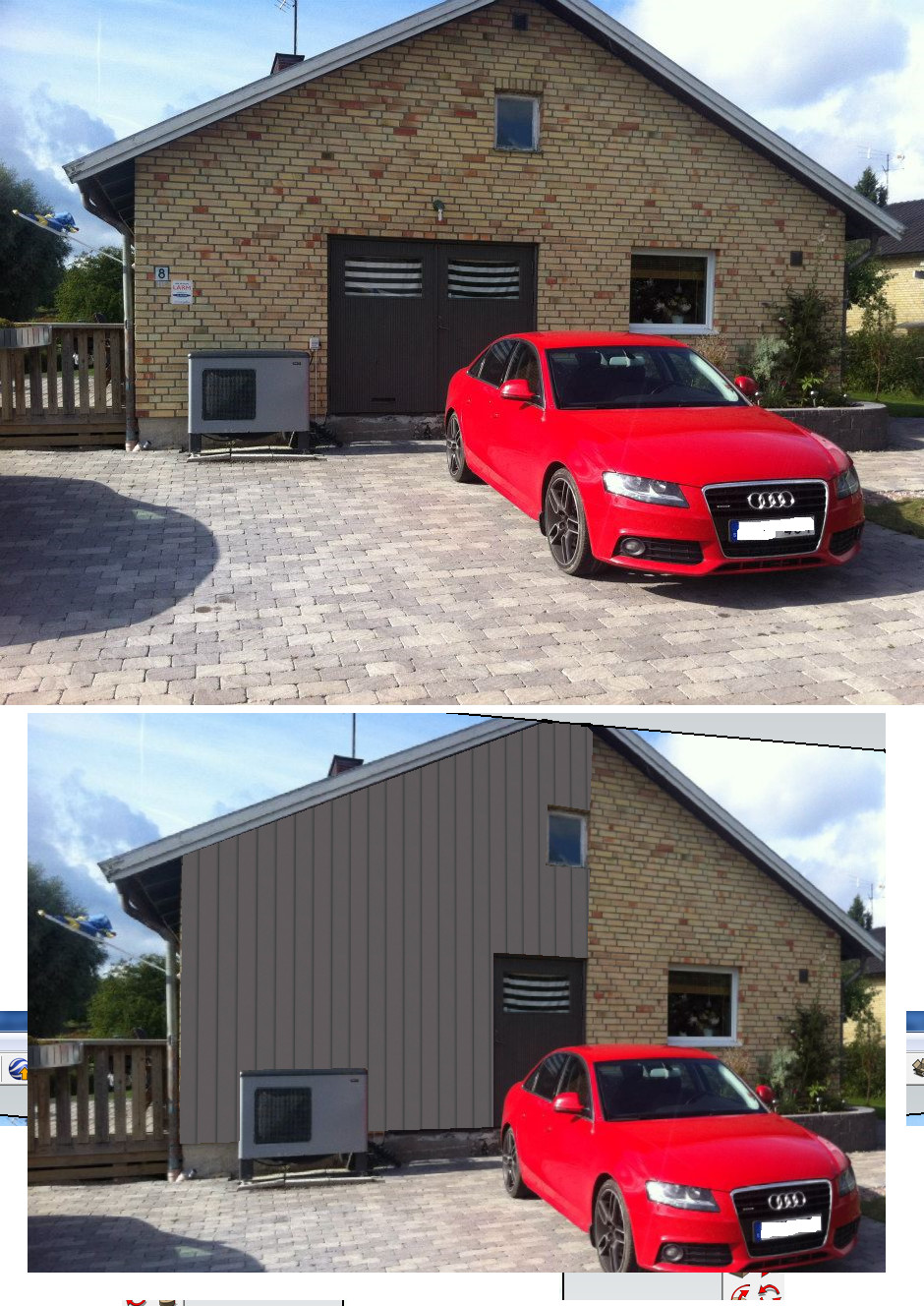
Suppose I want to change the facade and windows on my house, and I also plan to build a deck.
I want to be able to draw this up so I can decide on the size of the windows, horizontal/vertical paneling, size of the deck, etc.
Is this possible in SketchUp and if so, is it possible for someone who is terrible with computers to succeed?
Suppose I want to change the facade and windows on my house, and I also plan to build a deck.
I want to be able to draw this up so I can decide on the size of the windows, horizontal/vertical paneling, size of the deck, etc.
Is this possible in SketchUp and if so, is it possible for someone who is terrible with computers to succeed?
Member
· Nuevo Estockholmo
· 3 529 posts
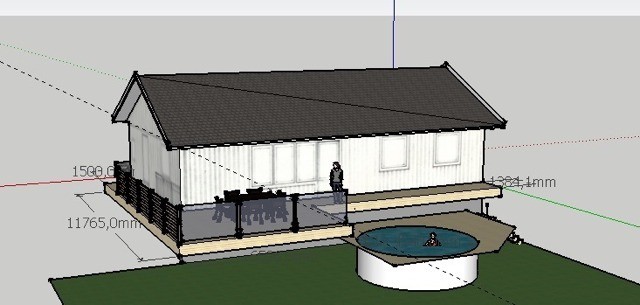
Mean something like this.
The image is honorably stolen from Google and hope it's okay to use here.
Member
· Nuevo Estockholmo
· 3 529 posts
What do you have to pay for something like that?JKrister said:
It doesn't need to be as detailed as in a photo.
I just want to avoid sitting with paper and pen to see the proportions.
Member
· Nuevo Estockholmo
· 3 529 posts

Seems like it's worked out for you, gavagai, but there are several different techniques for moving objects. To get center to center, I usually either move to a corner and then, as you now did(?), move in by a known measurement by specifying a numerical value. Often you can first drag from the middle (of, for example, a line on the object you want to move) to the middle of a line on the object you want to move to.
I quite often use guide lines (use the "protractor" tool if I remember correctly). Very useful when creating/moving/rotating objects. They can advantageously be created on their own layer which you can later hide.
I almost always draw my projects in Sketchup - including deck, deck railing - which was partially related to the last question. Not a typical 3D program but incredibly good for simpler projects.
I quite often use guide lines (use the "protractor" tool if I remember correctly). Very useful when creating/moving/rotating objects. They can advantageously be created on their own layer which you can later hide.
I almost always draw my projects in Sketchup - including deck, deck railing - which was partially related to the last question. Not a typical 3D program but incredibly good for simpler projects.
Additional tips include learning the most common buttons that apply to different tools. For example, I think it's O to rotate the camera angle, M to move, etc.
Then I use the arrow keys to lock which axis I want to move an object.
There's a lot - check/google their tutorials as well.
Then I use the arrow keys to lock which axis I want to move an object.
There's a lot - check/google their tutorials as well.
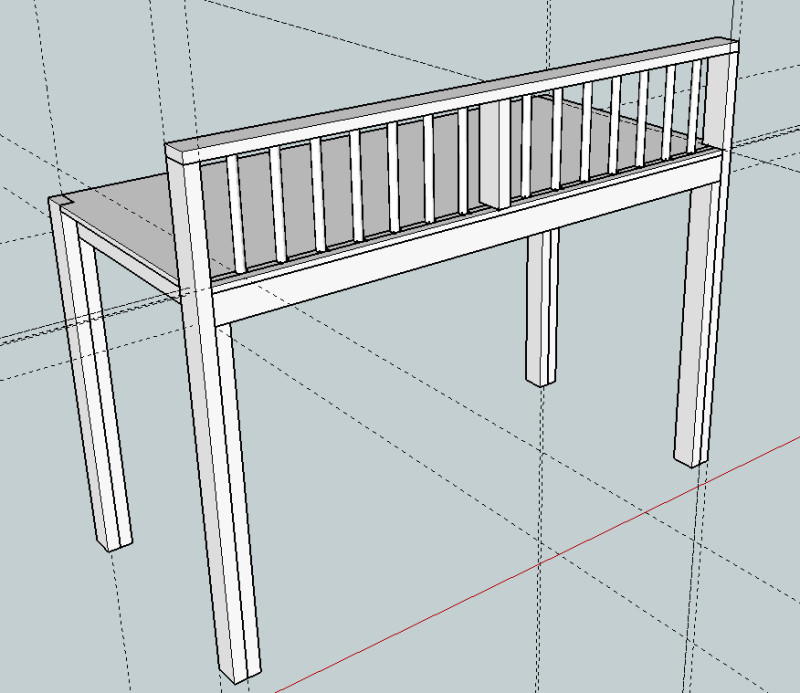
Since I've received so much great help here, perhaps someone would like to take a look at my latest loft proposal, which I drew in SketchUp. I would gratefully accept any opinions on whether it would be reasonable to build such a thing or how it could be improved. A link to the SketchUp file is in this thread starter: http://tinyurl.com/oe2q8gq
Click here to reply